Live demo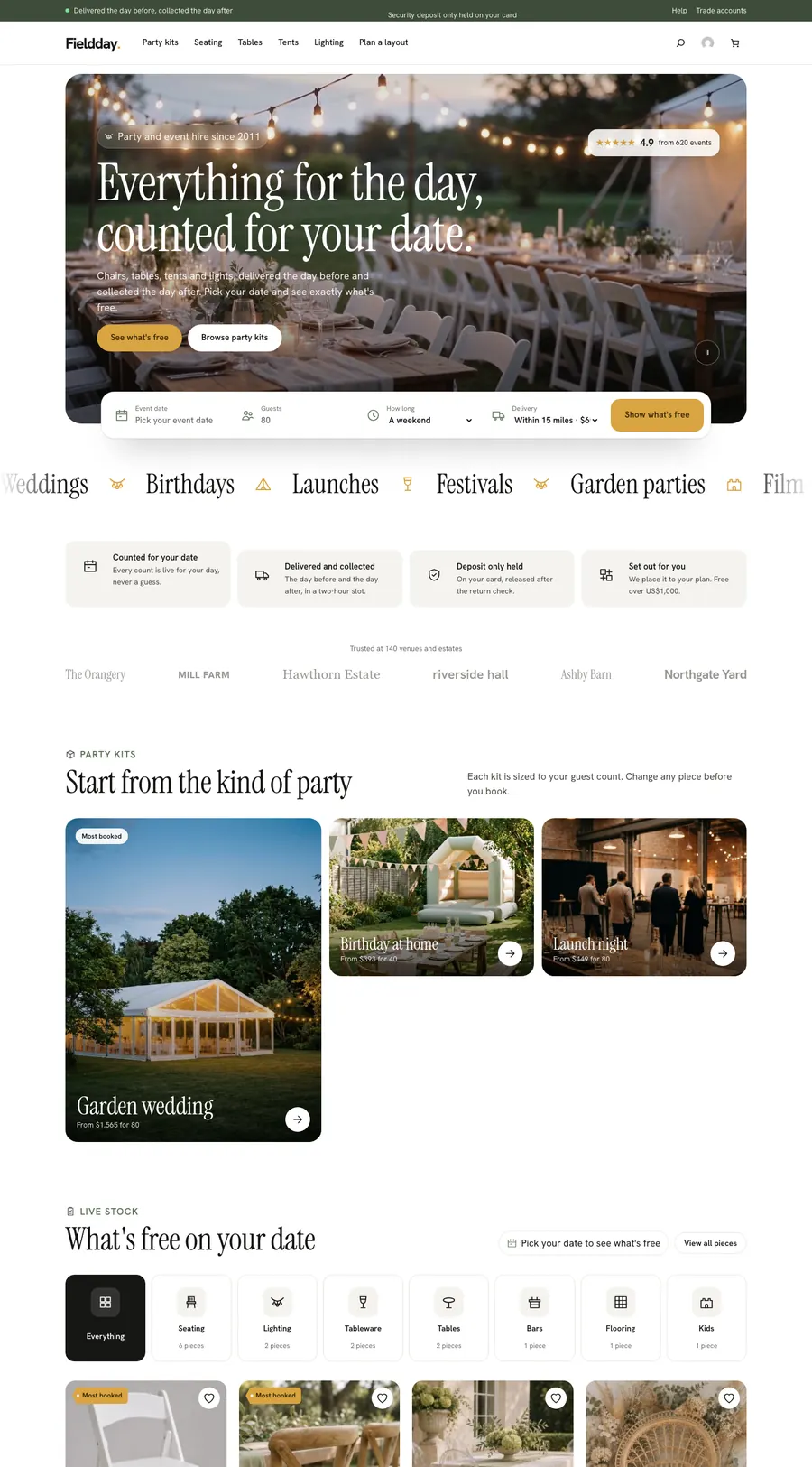
Party and event hireChairs, tables, tents and lights, priced per weekend.
A WordPress theme for hire shops · WooCommerce · Made for Frebix Rentals
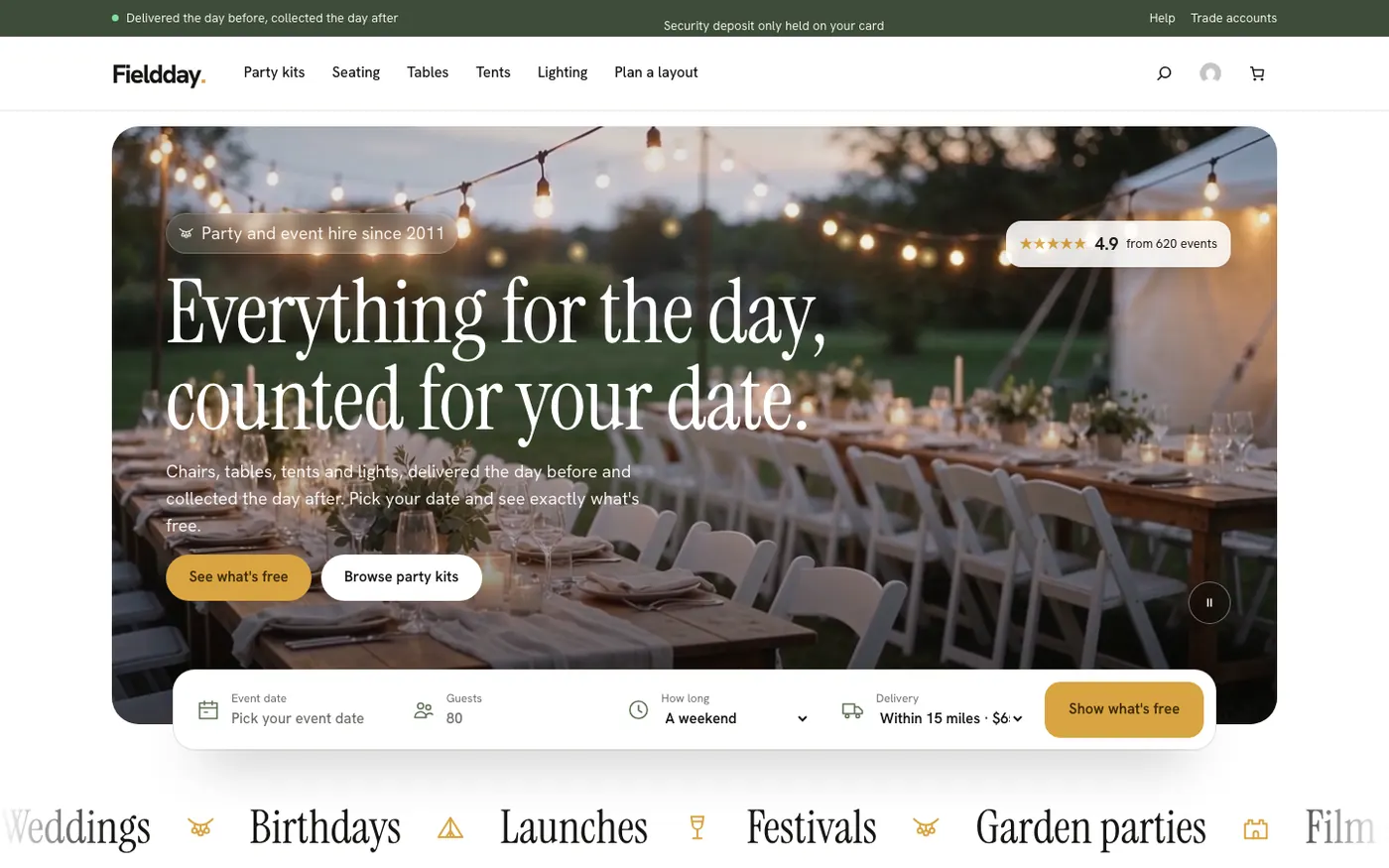
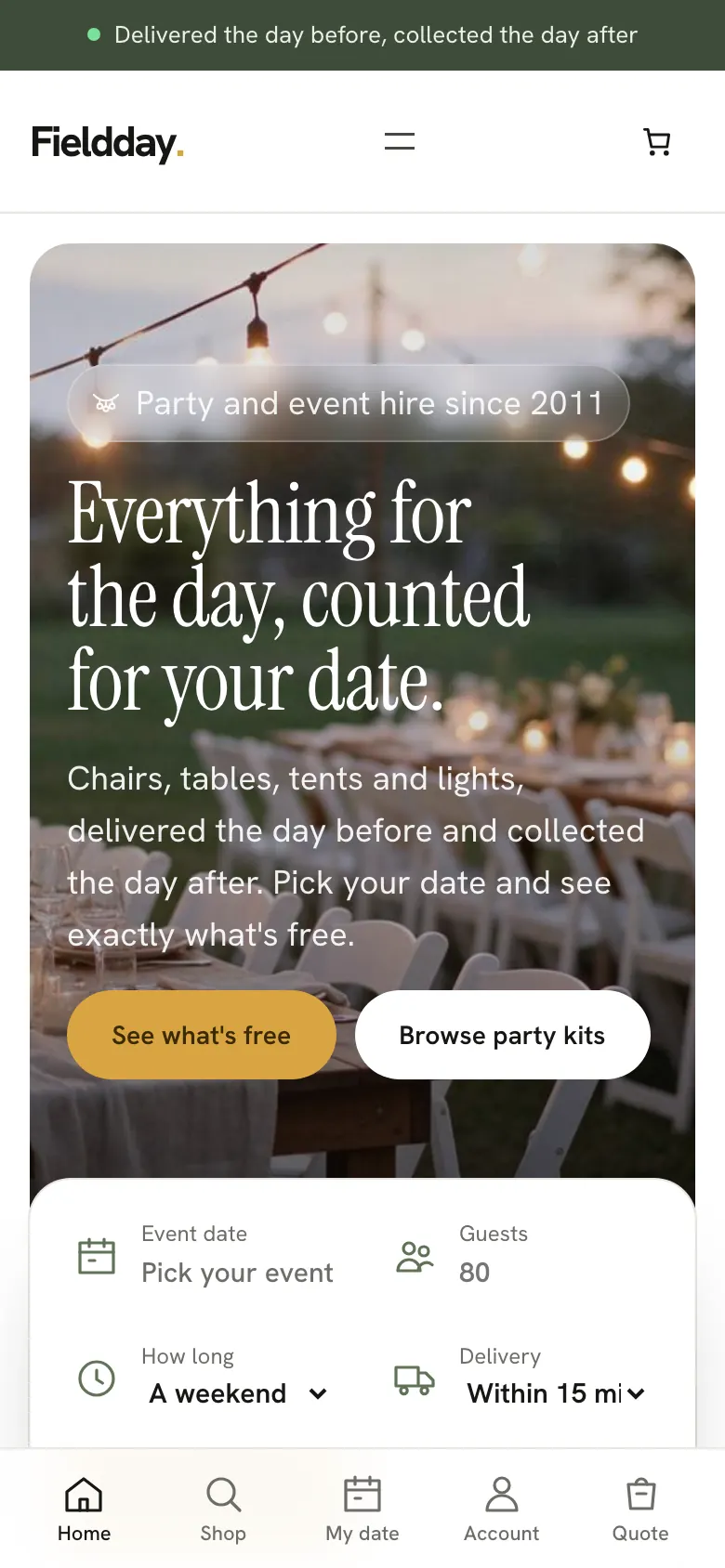
Each demo is a working shop: pick a date, see what's free, build a quote. Every one imports into your site in one click from Appearance → Demos.
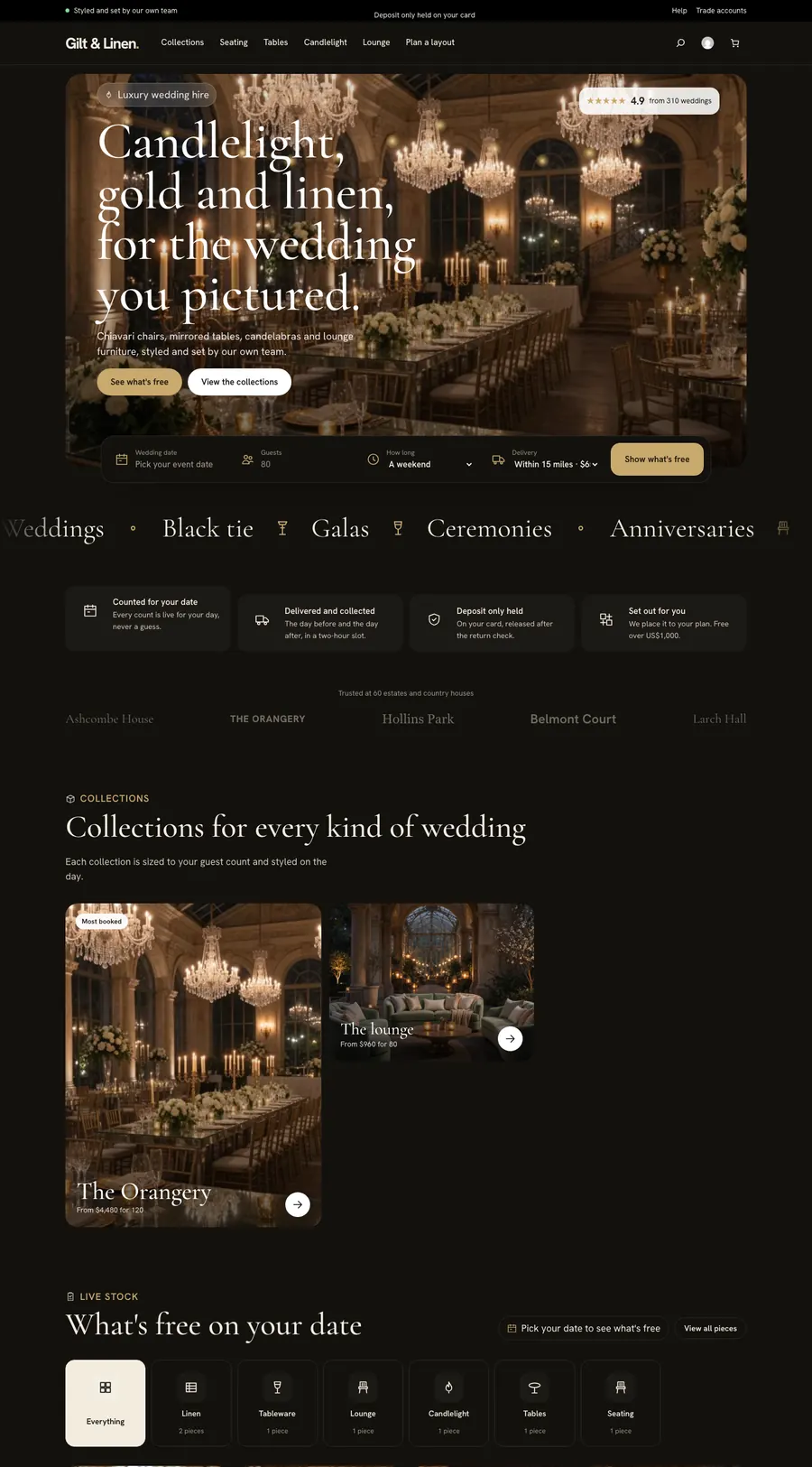
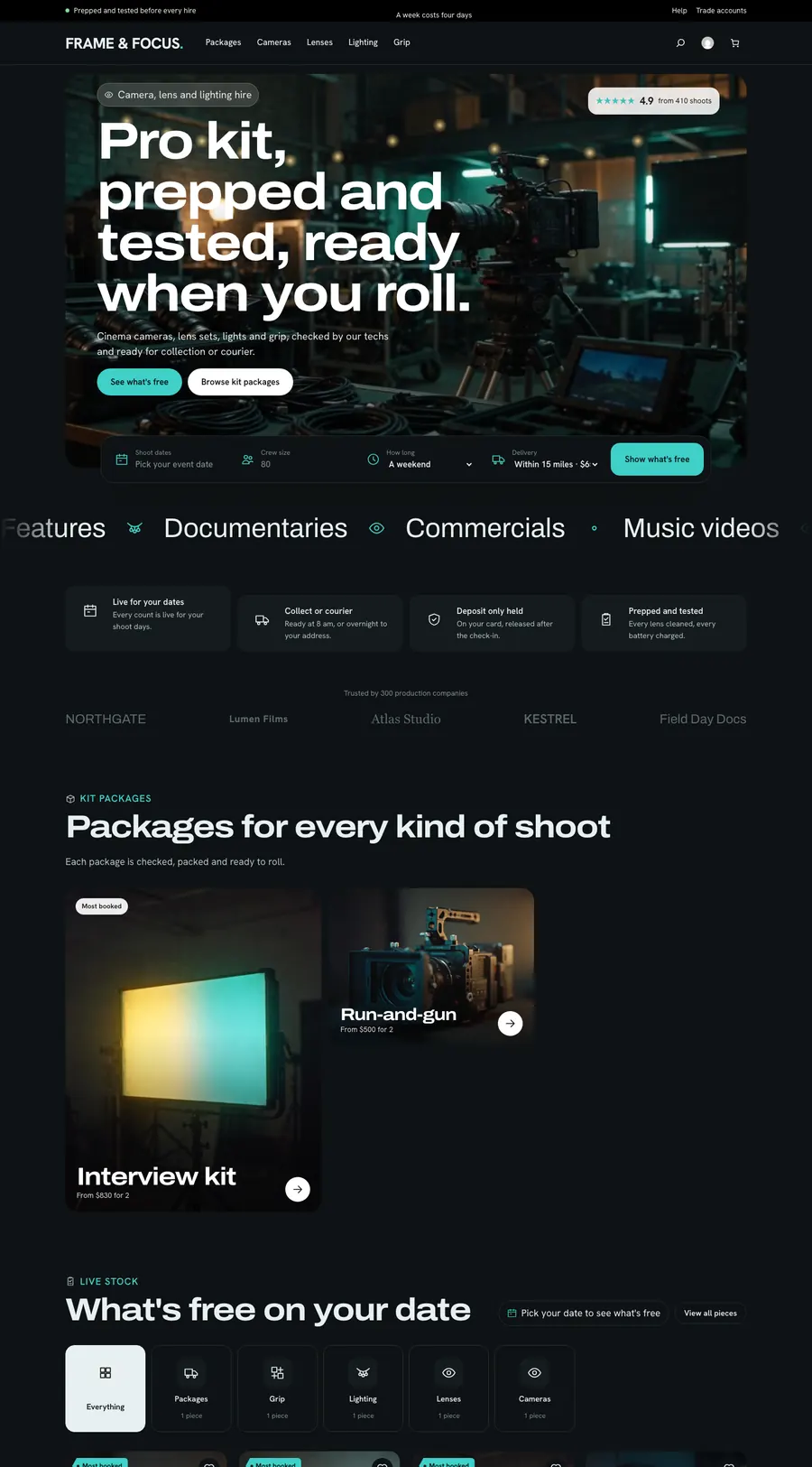
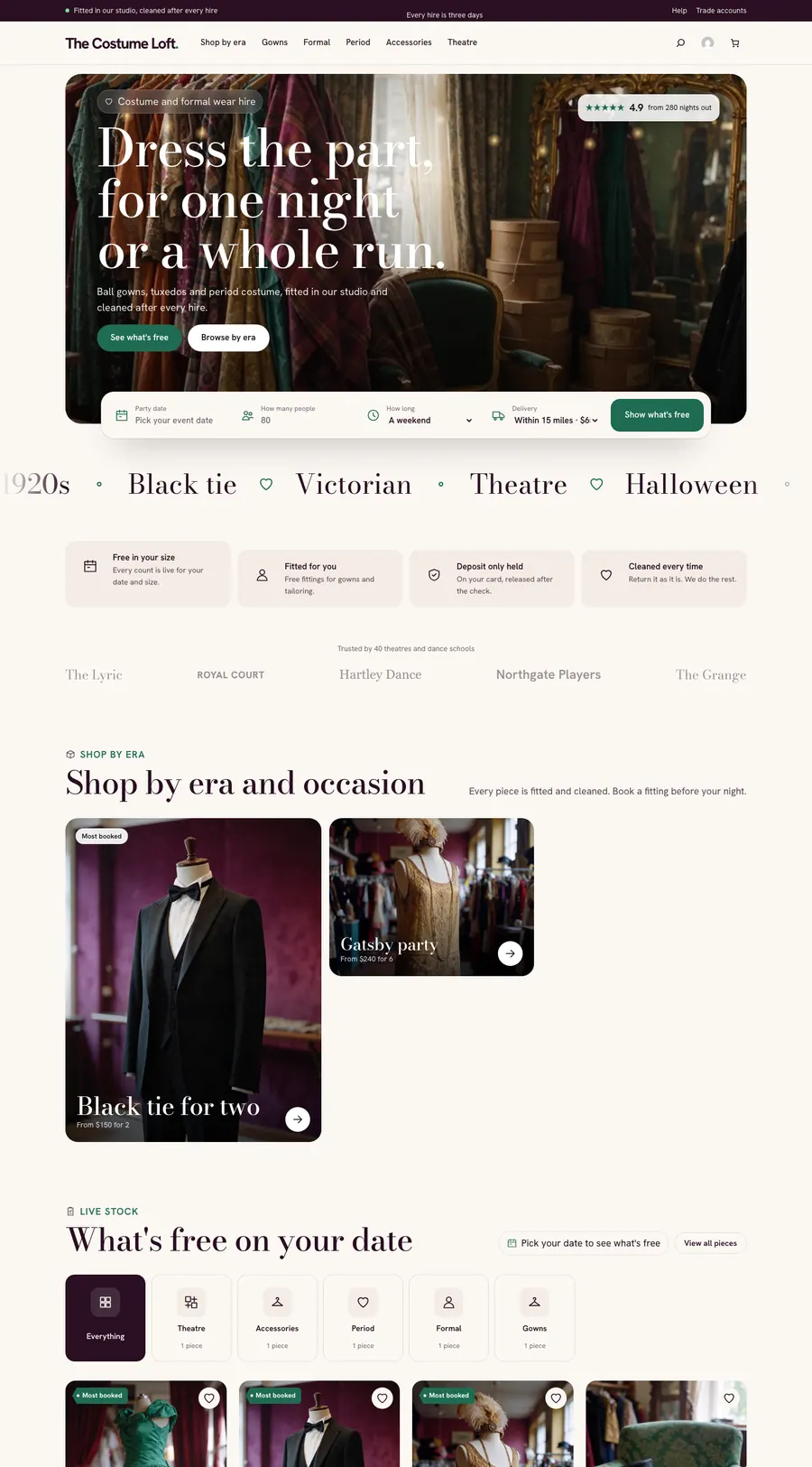
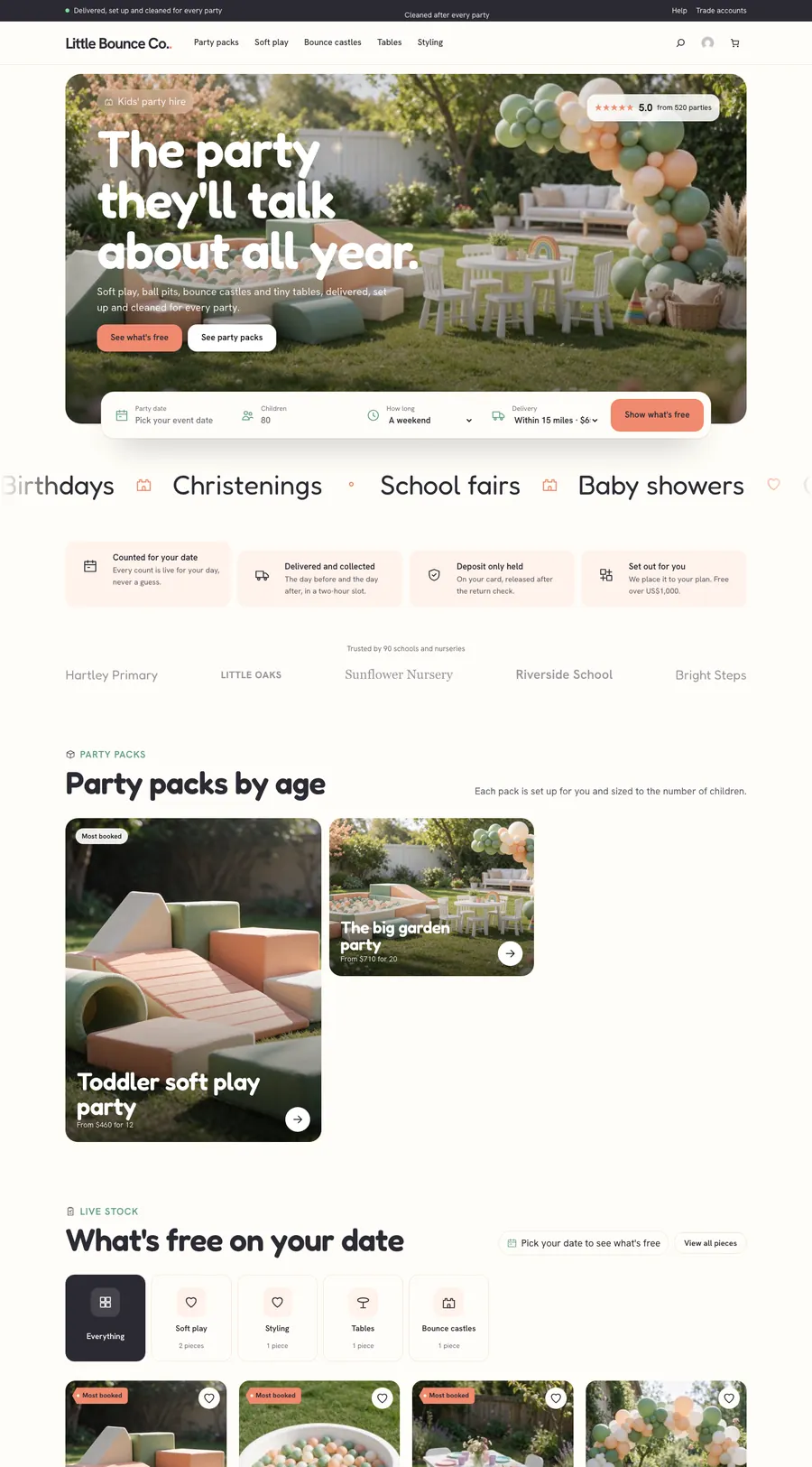
The demo photos are for the demo only. They show how your shop looks with real pictures. They are not licensed for use on your live shop, so replace them with your own before you open. "Remove demo" deletes every imported photo in one go.
Not just a home page. The shop, categories, products, kits, the quote, checkout and the account are all designed for hire.
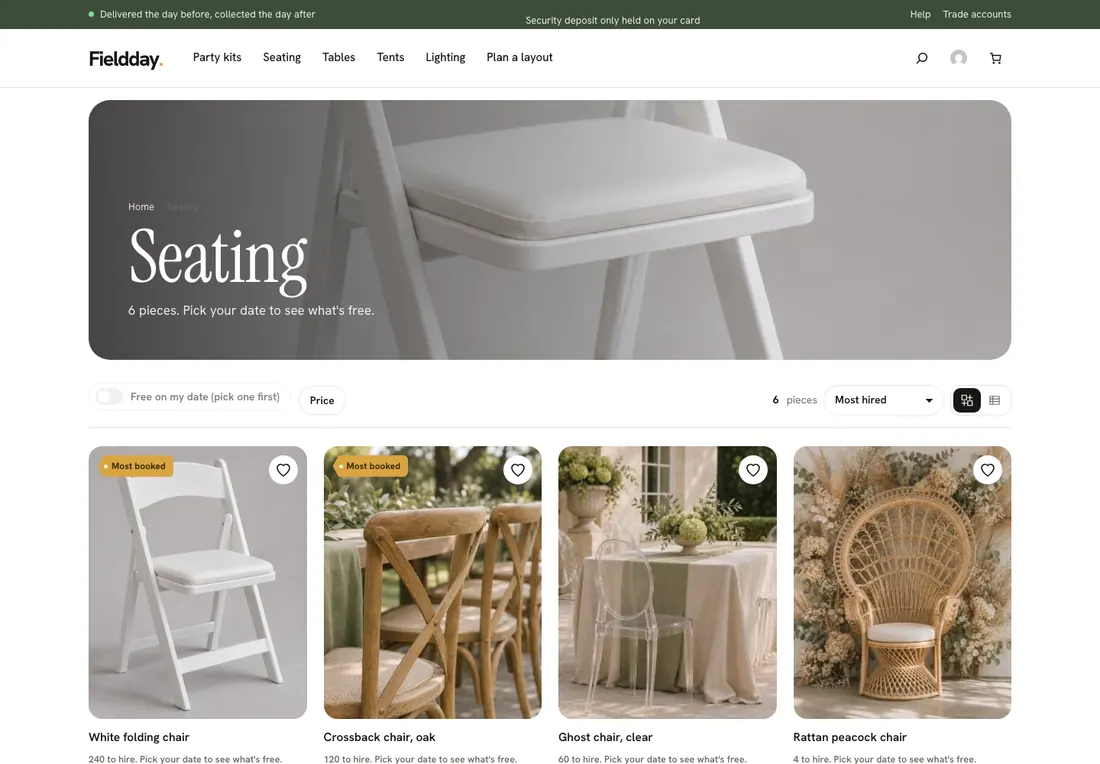
Sub-categories, filters for "free on my date", colour and price, and cards with the price for the hire.
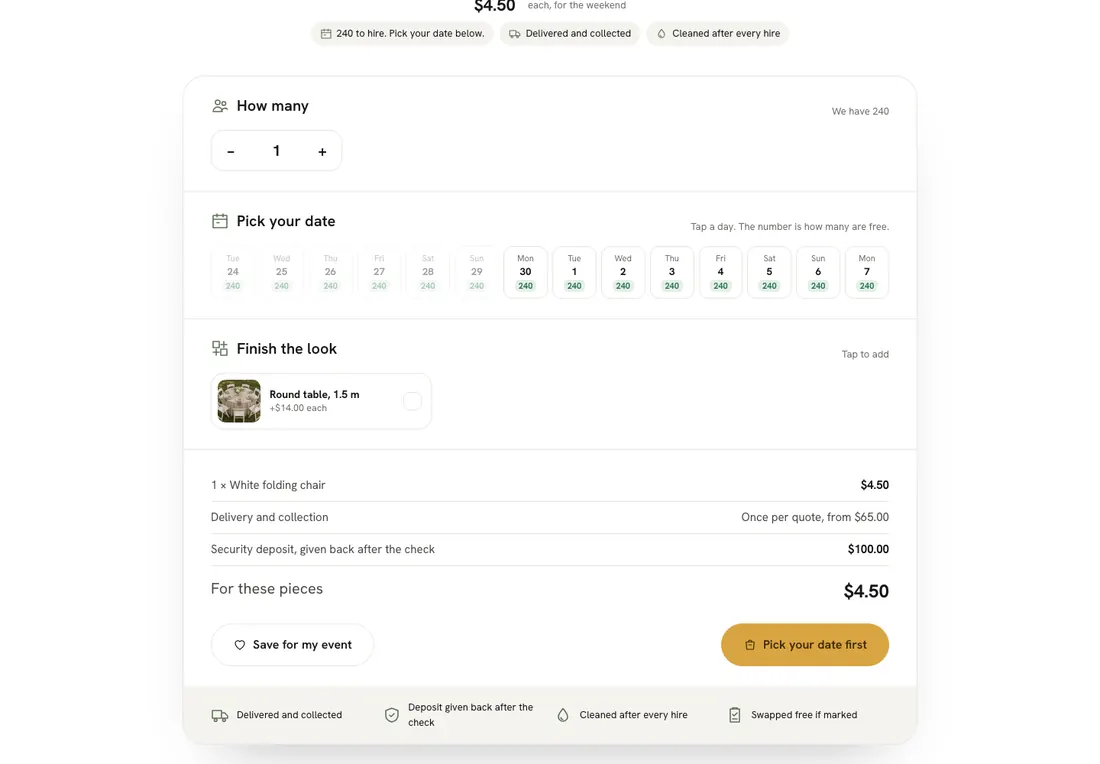
How many, a strip of dates showing what's free, add-ons sized for the guests, and every cost before they book.
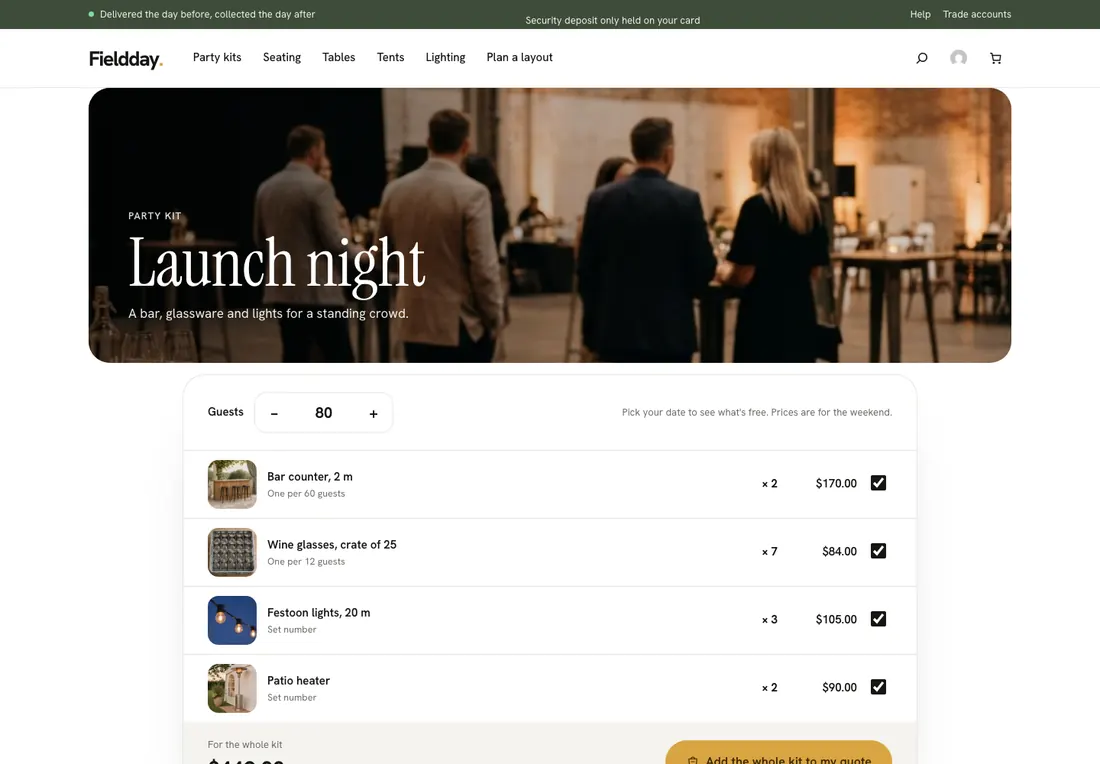
"Launch night for 80" becomes the right number of bars, glasses and heaters, each one you can change.
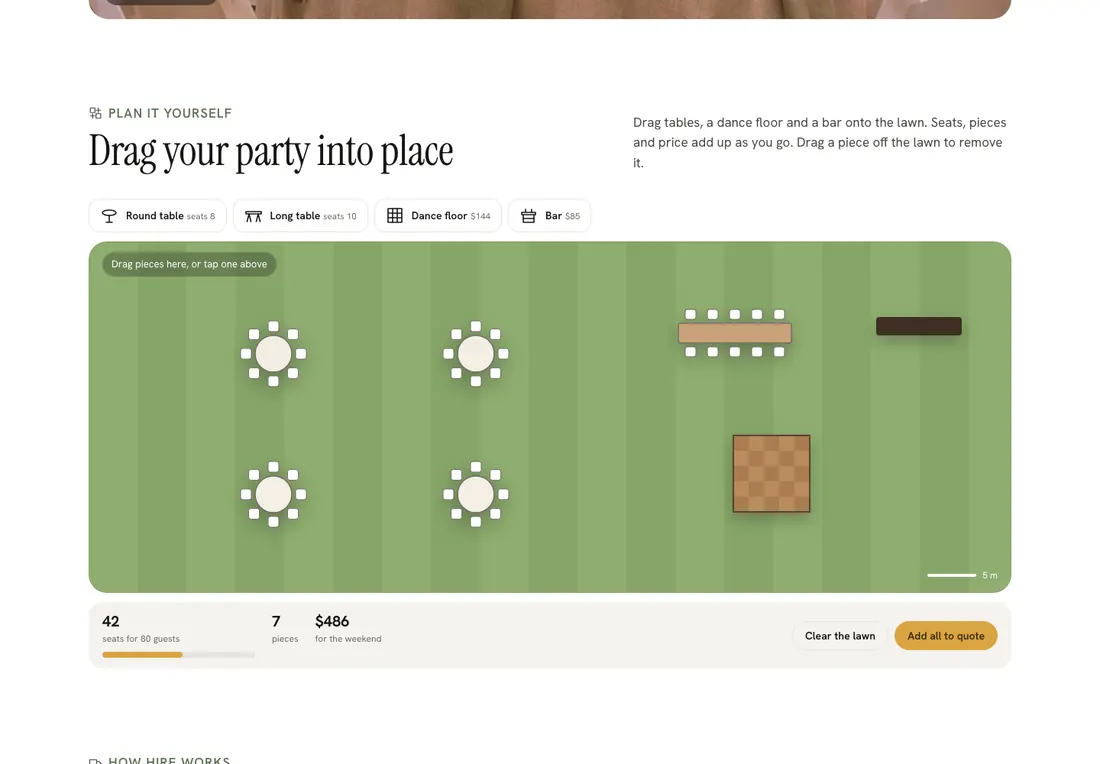
Customers drag tables, a dance floor and a bar onto a lawn, see seats against guests, and add it all to their quote.
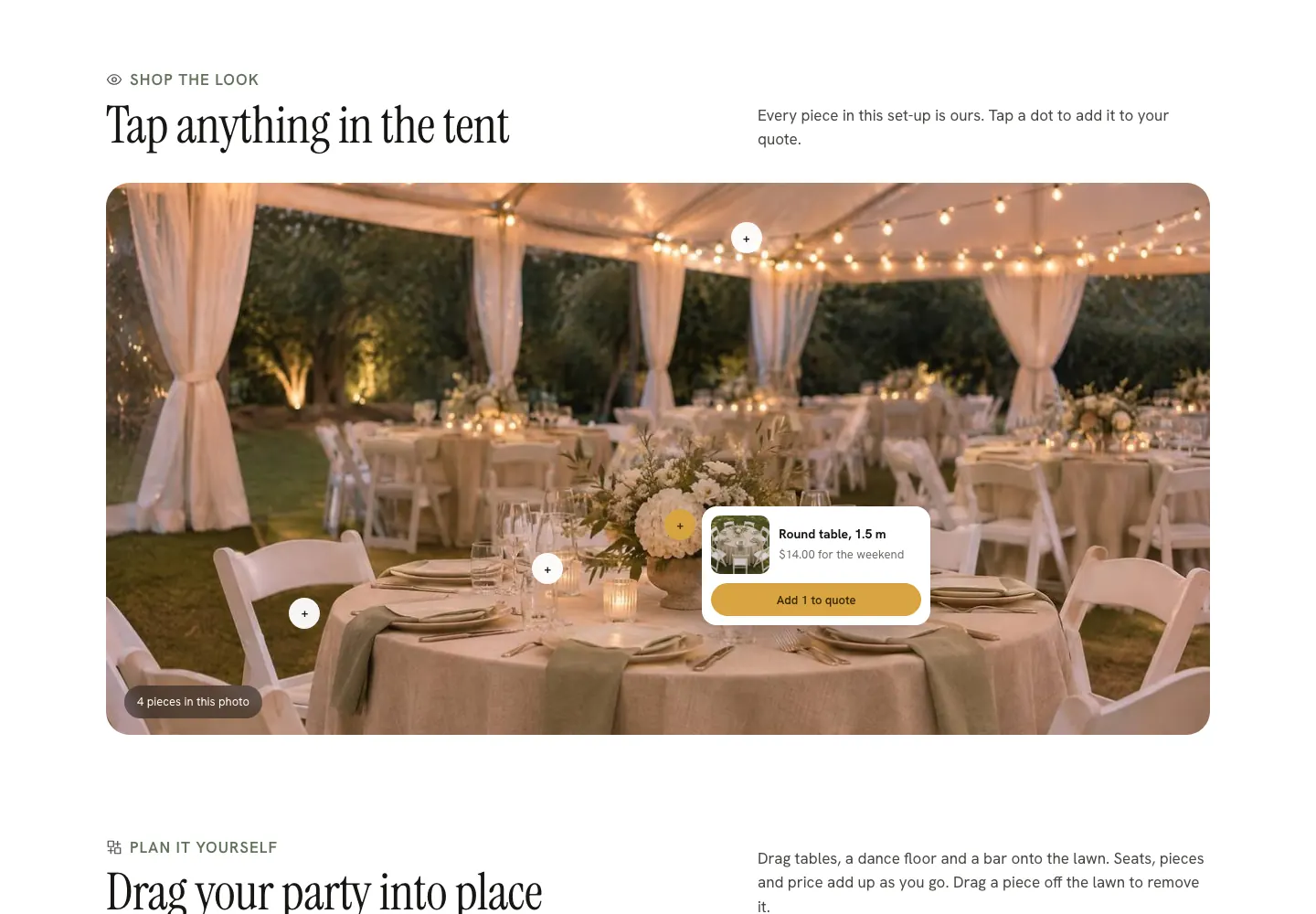
A photo of a real set-up with a dot on each piece. One tap shows the price for their date, how many are free, and adds it to the quote.
With Frebix Rentals, the whole shop knows what's free on your customer's day.
Date, how long, guests and delivery area, with a calendar that shows busy days before they pick.
Every card shows how many are free that day, and the price for the length of the hire.
Price by the weekend, the day, the event or a set number of days. The words on the bar are yours too.
The cart becomes a quote with a free set-up meter, a link to share with a planner, and an email copy.
Customers pick delivery and collection slots, and tell your crew where to set out and who meets the van.
Days to go, a checklist, changing a slot, paying the rest early, and past hires with their deposit outcome.
An app bar at the bottom, sheets that slide up, and a booking bar that fits a thumb.
Every demo's colours and fonts are a style variation. Switch in the Site Editor, light or dark.
Translation-ready, with right-to-left layouts for Arabic and Hebrew shops.
Measured with Google Lighthouse on a phone, on our own test server.
Frebix Rentals is the plugin that does the hire work. Its free version is enough for a real shop; Pro adds the tools for a busy one.
Free
In the kit, or US$79 a year on its own
For 1, 5 or 15 websites. Test and staging copies don't count. 14 days to change your mind.
The theme and its five demos
One key, one renewal date · save US$19
Prices in US dollars; you can pay in your own currency at checkout. Sold by Frebix, a Qloudtel company. The theme keeps working when your year ends; renew for updates and help.
No. They are for trying the theme and seeing how it looks with real pictures. Replace them with your own before you open. Imported photos are named "fieldday-demo", and "Remove demo" deletes them all.
For hire by date, yes, and the free version is enough for the booking bar, live counts, quotes and delivery slots. Kits and the planner come with Rentals Pro. Without Rentals, Fieldday works as a normal WooCommerce theme.
If you hire things out by the date, yes. The demos cover party hire, wedding styling, cameras, costumes and kids' parties; prices can be per weekend, per day, per event or for a set number of days.
No. It's a block theme: every page is edited in WordPress's own Site Editor, and every section is a pattern you can add, move or remove.
WordPress 6.5 or newer, WooCommerce 8 or newer, and PHP 7.4 or newer. It works with WooCommerce's block checkout.
The theme keeps working. Renew to keep getting updates and help.
Five demos to start from. One click to bring one in.